Profile and language
In short
In your profile, you change your name, your photo, your language and your password. You change the language with one press on the language that you want. You also sign out here.
Checked on
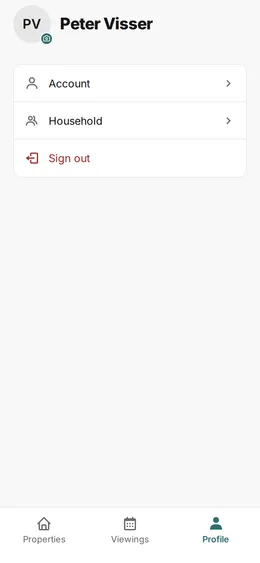
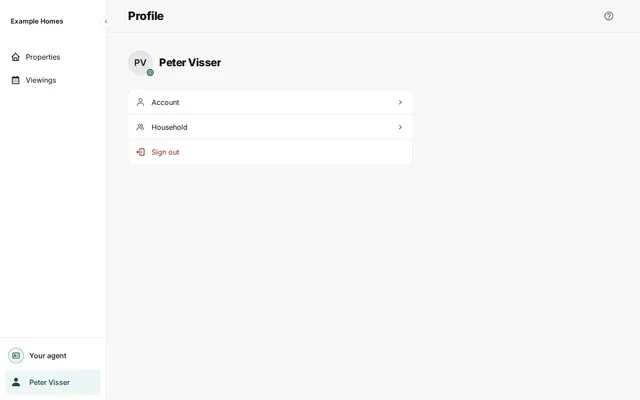
Press Profile in the menu. At the top, you see your name and your photo. Under them are Account, Household and Sign out. Press Household: there you read that sharing is not possible yet.
Change the language
Section titled “Change the language”- Press Profile in the menu and then Account.
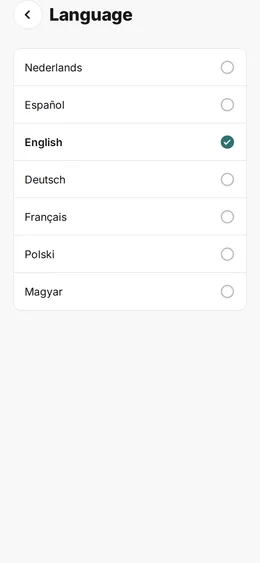
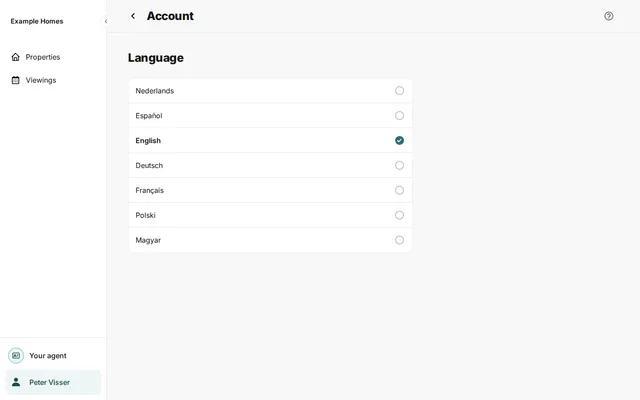
- Find Language. You see the languages in a list, each in its own language.
- Press the language that you want. The portal saves your choice at once.
The portal has seven languages: Nederlands, Español, English, Deutsch, Français, Polski and Magyar.
Change your name or photo
Section titled “Change your name or photo”- Press Profile in the menu and then Account.
- Press your name. Change First name or Last name and press Save.
- Do you want a photo? On the Profile page, press your circle with the camera icon. Press Choose a photo and then Upload photo.
You cannot change your email address here.
Change your password
Section titled “Change your password”- Press Profile and then Account.
- Under Sign-in method, press the row with your sign-in method.
- Press Change password.
- Type your current password in Current password.
- Type the new password in New password and again in Repeat password.
- Press Save password.
You then see Password saved. You are signed out. Sign in again with your new password. Press Sign in for this.
Sign out
Section titled “Sign out”Press Profile and then Sign out.