Comparing properties
In short
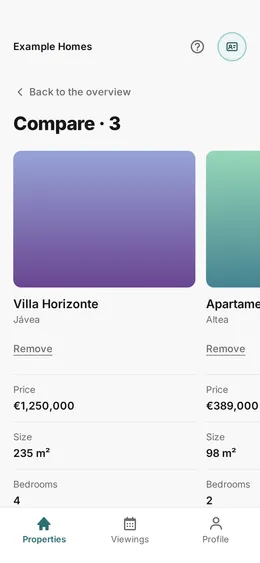
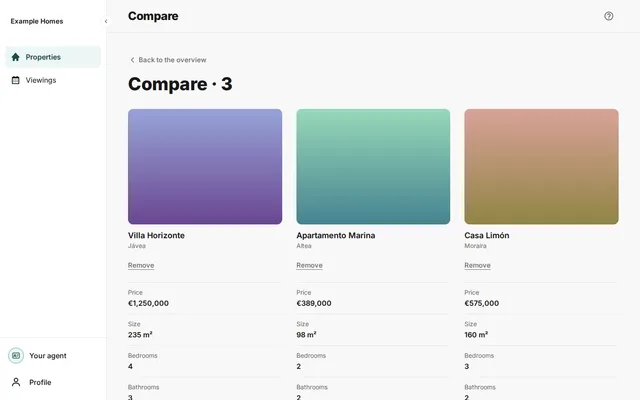
Add properties to your favourites with the star. Then press Compare to see up to 4 of them side by side. For each property, you see price, size, rooms and your score.
Checked on
Properties that you gave a star are on the overview under Your favourites. You can compare 2 to 4 properties.
- Press the star on the card of a property that you want to compare. Do this for at least 2 properties.
- On the overview, find the block Your favourites.
- Press Compare (3). The number is the number of properties.
- You see the properties side by side. Each column is one property. If you have more than 4 favourites, the portal takes the first 4 of your list.
What you see
Section titled “What you see”For each property, you see the photo, the name and the town. Under them are Price, Size, Bedrooms, Bathrooms, Plot and Your score. If the portal does not know something, you see a dash (—). On a phone, swipe sideways to see all properties.
Take a property out
Section titled “Take a property out”Press Remove under a property. The other properties stay. If only one property is left, you see Choose at least 2 properties on the overview to compare them.
Press Back to the overview to go back.